toto 53 Brings Live Tables and Local Wallets Together
toto 53 puts Live Blackjack Elite, Live Baccarat Grand, slots and sportsbook markets behind one clear account path, with DANA, OVO, GoPay and QRIS beside the cashier.
Access is available only where local law permits.
Explore Casino and Slots from Home
Casino and slots occupy the first game shelves on our home page, letting you move directly from the account header to table rooms, reel games and fast rounds…








Switch Among Six Named Lobby Titles

Six named titles show the range you can reach from our home shelves: Live Blackjack Elite and Live Baccarat Grand cover dealer tables, while Aviator Fast Round and Fishing War Fast Round provide shorter game formats. Balikpapan Casino Lobby groups casino choices, and MotoGP Race Bet sits within the sportsbook route. Football, badminton and basketball markets are also separated by
sport rather than mixed into the casino cards. This structure means you can compare casino, slots and sportsbook paths from one starting page, then return home without opening another account or losing sight of your wallet status.
Check the Home Page at a Glance

Open Your Account Through Phone Verification
Phone verification comes before account access, giving you a clear first step from the home page instead of sending you between similar login and account screens. Start through the account path, provide the requested account details, and complete the phone check before entering the lobby. Once confirmed, the same account connects your casino categories, sportsbook and local wallet status. Keep
your phone available during this process because verification messages relate to the number attached to your account. If a code or account state stalls, the nearby help path directs you toward account checks without requiring a separate game session.
Browse Casino and Slots on Mobile
Protect Your Account Before Cashier Access
A verified phone number ties the home-page account path to the person requesting cashier access. We use that checkpoint before showing the full account session, and withdrawal requests may require account details to match the selected bank or wallet route. You should keep your login details private, check that the number attached to your account remains current, and close the
browser session on a shared device. The account area also gives you a consistent place to inspect wallet status and transaction references. If something looks unfamiliar, avoid repeating the request and use the account-help path beside the cashier.
Check Our Account and Policy Signals
Phone checks, named payment routes and visible policy links give you concrete ways to assess our home page before opening a game.
Phone Verification
We place a phone check before account access so you know which number is connected to your session. If verification stalls, the account-help route remains close to the home-page account path.
Named Payment Routes
DANA, OVO, GoPay and QRIS appear as distinct cashier choices. Their individual status helps you identify the route used for a transaction instead of treating every local payment as the same method.
Transaction References
Payment receipt and status checks rely on the reference connected to your request. Keeping that reference lets our help path examine the correct cashier event without asking you to repeat a transfer.
Policy Access
Our home footer keeps account and access terms within reach before you enter the lobby. These links explain the applicable conditions, while local availability depends on local law.

Move From Mobile Login to Lobby
One mobile browser route carries you from login to the home lobby, game shelves and cashier without requiring a separate application. The navigation condenses for a phone screen, but casino, slots and sportsbook remain distinct choices rather than disappearing into one long menu. After opening Live Baccarat Grand or Aviator Fast Round, you can return to the prior category through
the lobby controls. QRIS remains useful on mobile because the cashier displays the payment route beside your account status. For a shared device, close the session after use and reopen the home page through your own browser when you return.
Choose DANA, OVO, GoPay or QRIS
DANA, OVO, GoPay and QRIS are visible from the home-page cashier path, letting you choose a known Indonesian payment route before submitting a transaction.
Discover Casino and Slots Beside Sports
Casino and slots sit beside a separate sportsbook path on our home page, allowing you to change categories while keeping the same account session and visible cashier route.
Track Withdrawals Through Account Verification
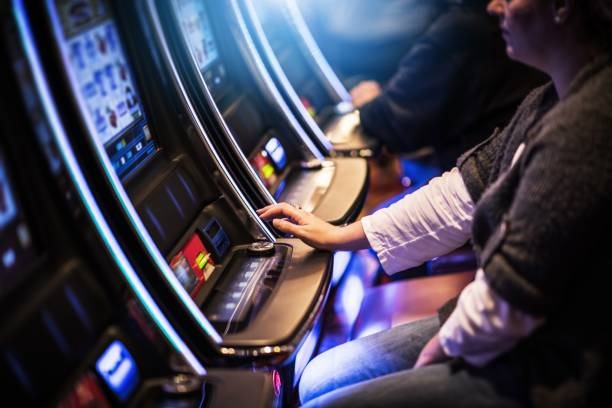
Withdrawal requests begin from the same cashier area linked on our home page, but they are not treated as a new deposit or a second account flow. We first connect the request to your verified account details and the selected wallet, bank transfer or virtual account route. The cashier status then shows whether the request is being checked, has progressed,
or needs another account detail. Timing can vary with the payment route and bank confirmation, so we do not present one fixed period for every method. Keep the transaction reference and use the receipt-check path if the displayed state does not change as expected.
Get Help Near the Cashier
Account and payment help sit close to the cashier path on our home page, reducing the distance between a stalled status and the details needed to check it. Before requesting help, note whether the issue concerns phone verification, wallet confirmation or a withdrawal reference. This distinction lets the relevant path focus on the correct account event. For payment questions, keep the DANA, OVO, GoPay or QRIS receipt and do not submit a duplicate transfer. For login trouble, confirm that you are using the phone number connected to your account rather than creating another account record.
Login and Phone Help
Use this path when phone verification, login state or account access does not progress. Have the phone number attached to your account ready, but never place private login details inside a payment receipt.
Wallet Status Checks
Choose payment help when a DANA, OVO, GoPay or QRIS status remains unclear. The transaction reference and provider receipt help connect your question to the correct cashier request.
Withdrawal Receipt Checks
Use the withdrawal path for a request already shown in your cashier history. Share the relevant reference through the available help flow and avoid creating another request while the first is being examined.
Check Local Access and Policy Paths
Footer links on our home page provide the account and access terms that apply before you use the lobby. Read those paths alongside the visible cashier methods because a supported Indonesian payment name does not by itself decide whether an account may be used in your location. Access depends on local law, and you remain responsible for checking the rules
that apply where you are. We do not replace that check with an unsupported regulatory claim. The home navigation keeps policy access separate from games, while the account area retains the practical links for phone verification, payment status and transaction references.
Find Answers About the toto 53 Home
Seven practical answers cover what you can reach from the toto 53 Home, how the account path begins, which Indonesian payments appear and where mobile or cashier help sits. They focus on actions available from the starting page rather than broad claims about casino outcomes. Use them to confirm the lobby category, phone-verification step, payment route and account-status path you need before opening an account. Where a question concerns availability, access depends on local law. Transaction timing can also vary by provider or bank, so the cashier state and your receipt remain the relevant records.